

Capabilities
| Resource | Sync | Provision |
|---|---|---|
| Accounts |
Gather BambooHR credentials
Configuring the connector requires you to pass in credentials generated in BambooHR. Gather these credentials before you move on.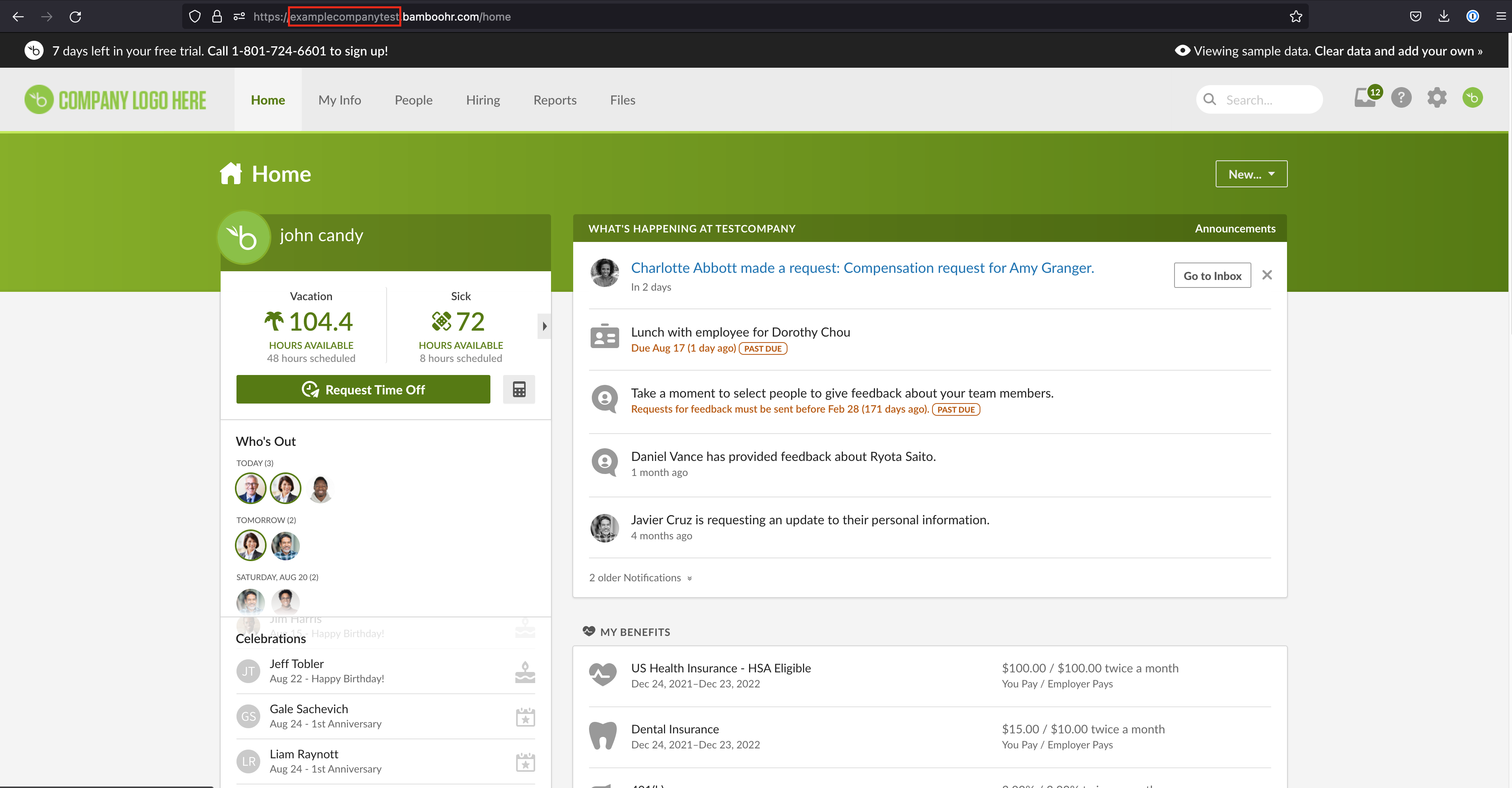
Next we’ll create a BambooHR API token. The user that creates the API token must be assigned an access level with these permissions:
- Personal >> Basic Info >> Status - View Only
- Personal >> Contact >> Work Email - View Only
- Personal >> Basic Info >> First Name - View Only
- Personal >> Basic Info >> Last Name - View Only
- Job >> Job Information >> Reporting To - View Only
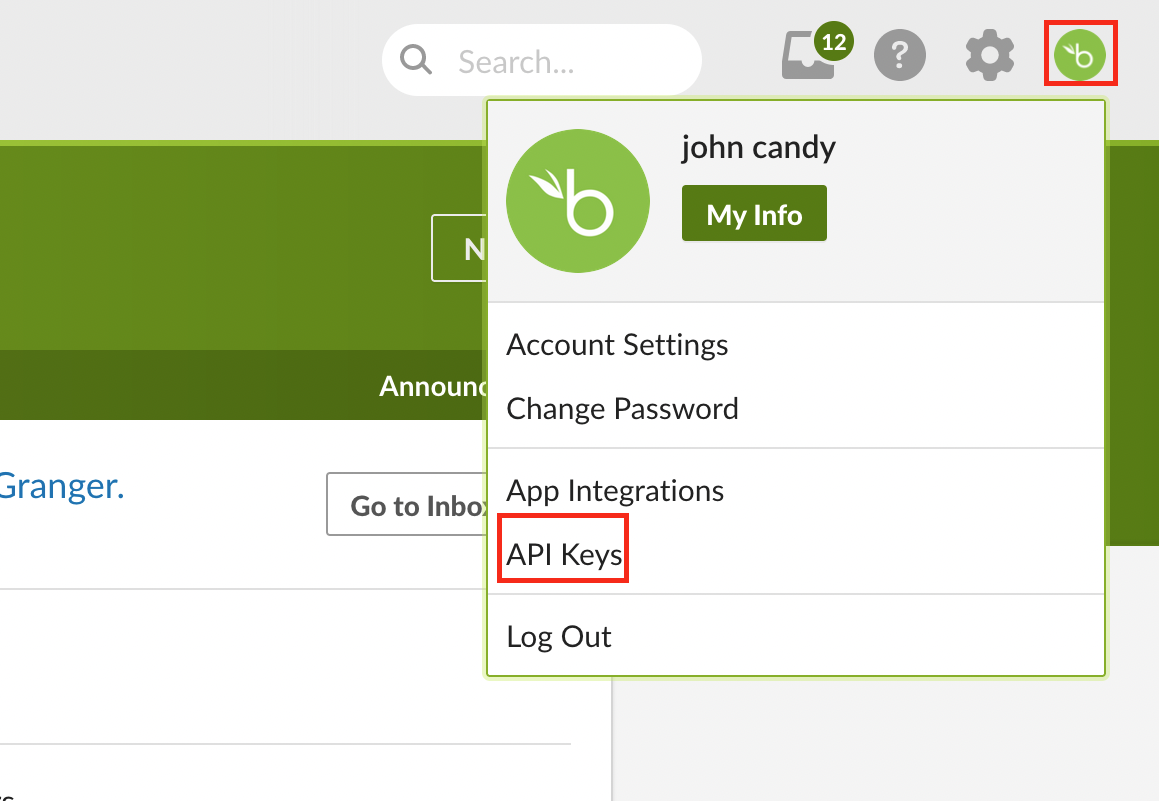

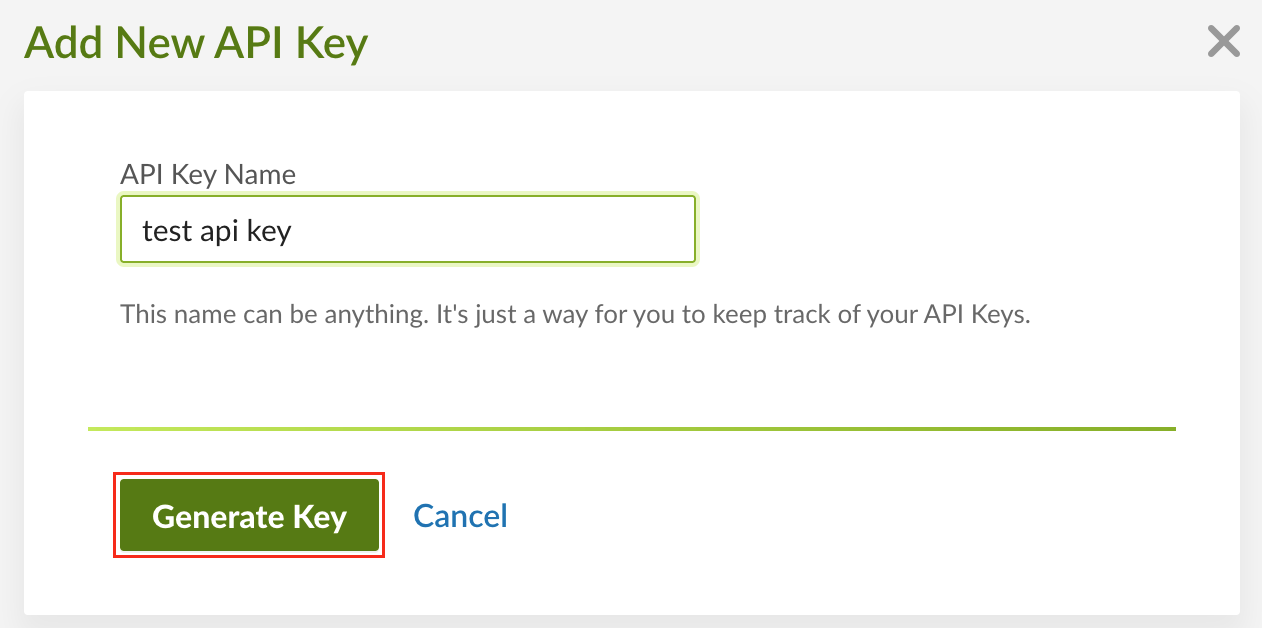
Configure the BambooHR connector
- Cloud-hosted
- Self-hosted
Follow these instructions to use a built-in, no-code connector hosted by ConductorOne.That’s it! Your BambooHR connector is now pulling access data into ConductorOne.
Choose how to set up the new BambooHR connector:
- Add the connector to a currently unmanaged app (select from the list of apps that were discovered in your identity, SSO, or federation provider that aren’t yet managed with ConductorOne)
- Add the connector to a managed app (select from the list of existing managed apps)
- Create a new managed app
Set the owner for this connector. You can manage the connector yourself, or choose someone else from the list of ConductorOne users. Setting multiple owners is allowed.If you choose someone else, ConductorOne will notify the new connector owner by email that their help is needed to complete the setup process.