

Capabilities
- Sync user identities from Cloudflare to ConductorOne
-
Resources supported:
- Roles
-
Provisioning supported:
- Role assignments
- Accounts
Add a new Cloudflare connector
Choose how to set up the new Cloudflare connector:
- Add the connector to a currently unmanaged app (select from the list of apps that were discovered in your identity, SSO, or federation provider that aren’t yet managed with ConductorOne)
- Add the connector to a managed app (select from the list of existing managed apps)
- Create a new managed app
Set the owner for this connector. You can manage the connector yourself, or choose someone else from the list of ConductorOne users. Setting multiple owners is allowed.
Next steps
- If you are the connector owner, proceed to Configure your Cloudflare connector](/baton/v1/cloudflare#configure-your-cloudflare-connector) for instructions on integrating Cloudflare with ConductorOne.
- If someone else is the connector owner, ConductorOne will notify them by email that their help is needed to complete the setup process.
Configure your Cloudflare connector
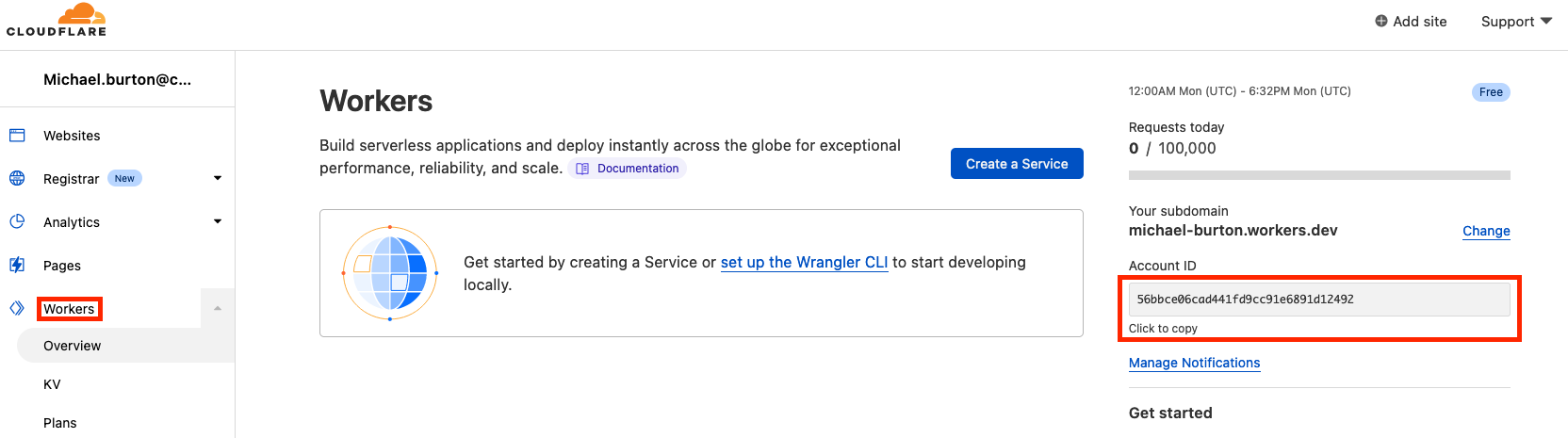
Step 1: Locate your Cloudflare Account ID
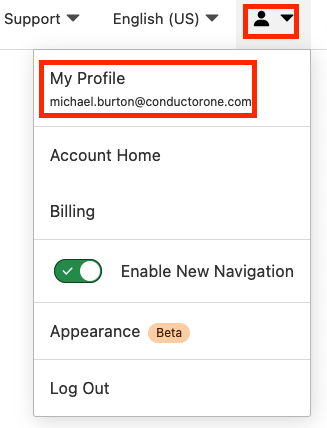
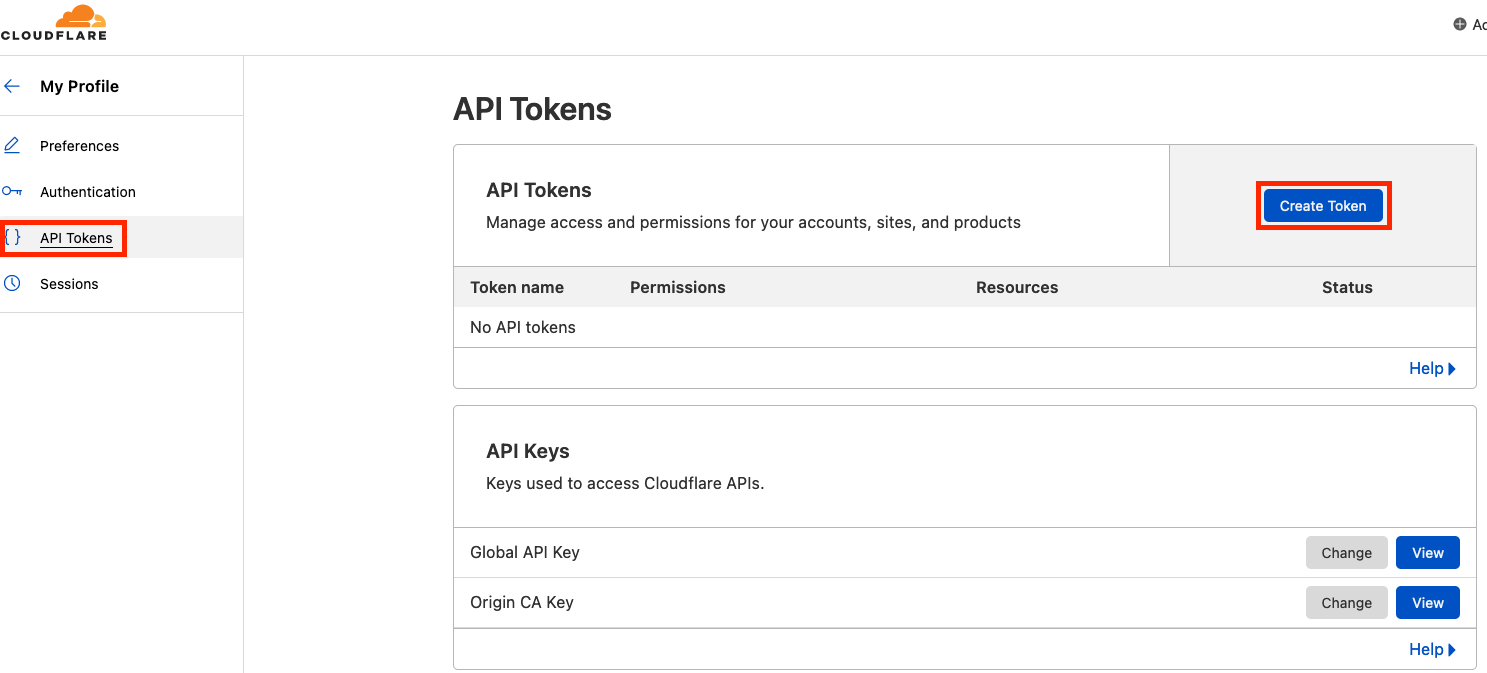
Step 2: Create an API token
Fill out the Create Custom Token page as follows: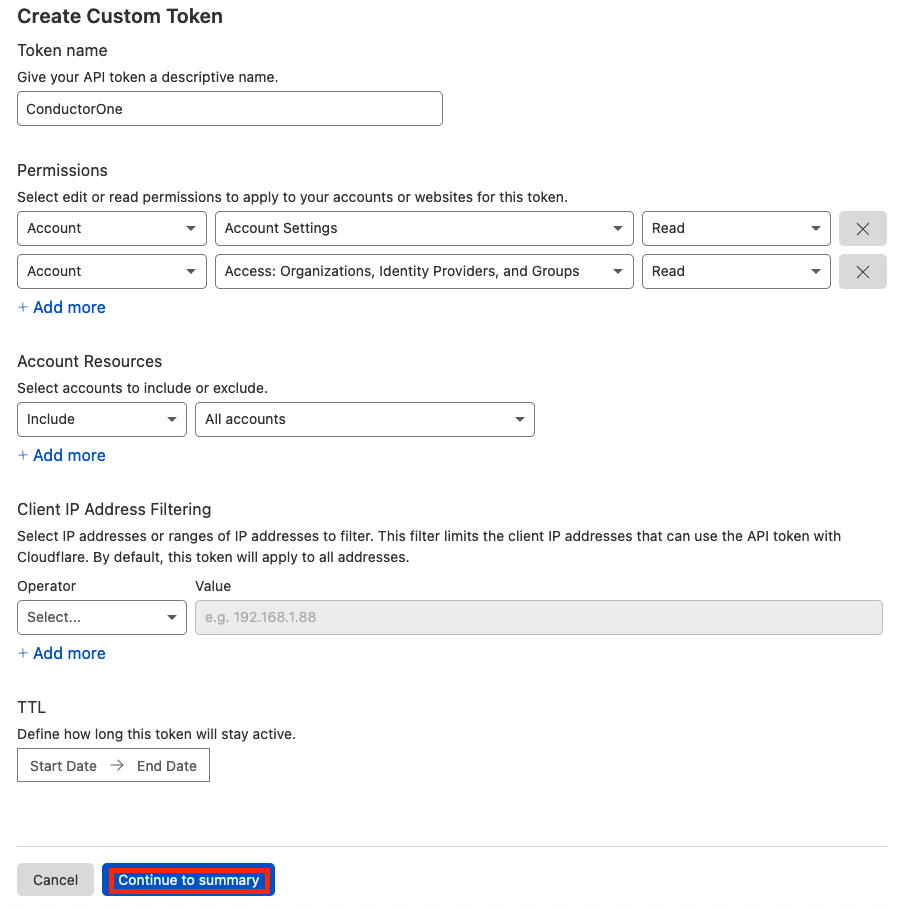
- Give the API token a name, such as ConductorOne
- Set the appropriate permissions for the API token:
- To provision Cloudflare access via ConductorOne and run access reviews on your Cloudflare users:
- Account -> Account Settings -> Edit
- Account -> Access: Organizations, Identity Providers, and Groups -> Read
- To run access reviews on your Cloudflare users:
- Account -> Account Settings -> Read
- Account -> Access: Organizations, Identity Providers, and Groups -> Read
- To provision Cloudflare access via ConductorOne and run access reviews on your Cloudflare users:
- Click Continue to summary
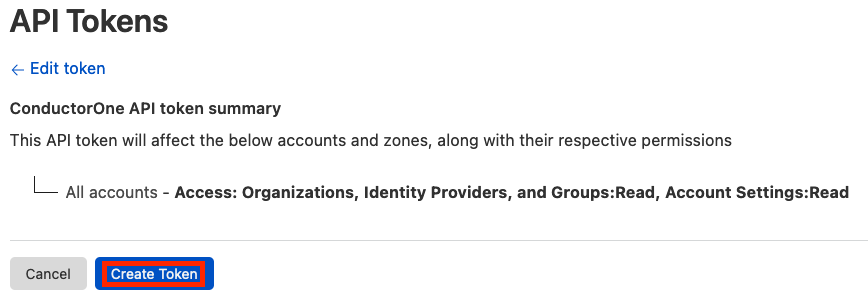
Step 3: Add your Cloudflare credentials to ConductorOne
In ConductorOne, navigate to the Cloudflare connector by either:
- Clicking the Set up connector link in the email you received about configuring the connector.
- Navigate to Connectors > Cloudflare (if there is more than one Cloudflare listed, click the one with your name listed as owner and the status Not connected).