

Availability
An updated version of this integration is available. This version of the connector is no longer available for new installation. If you’re integrating GitHub for the first time, use the updated version.Capabilities
- Sync user identities from GitHub to ConductorOne
-
Resources supported:
- Repositories
- Teams (including nested teams)
- Orgs
-
Provisioning supported:
- Team membership
Requirements
Connecting to your GitHub environment, you will need:- Super Administrator role in ConductorOne
- Org Owner access in GitHub
Set up the GitHub integration
If this is your first GitHub integration, the integration form opens automatically. Otherwise, click Add connector.
Choose whether to add the new GitHub connector as a data source to an existing application (and select the app of your choice) or to create a new application.
Set the owner for this connector. You can manage the connector yourself, or choose someone else from the list of ConductorOne users. Setting multiple owners is allowed.
Next steps
- If you are the integration owner, proceed to Integrate your GitHub instance [chosen method] for instructions on integrating GitHub with ConductorOne.
- If someone else is the integration owner, ConductorOne will notify them by email that their help is needed to complete the setup process.
Option 1: Integrate your GitHub instance using a personal access token (classic)
Follow these instructions to integrate your GitHub instance by using a GitHub personal access token (classic).Step 1: Create a GitHub personal access token (classic)
Select the following Scopes:
- repo - select all
- admin:org - select all if using ConductorOne for GitHub provisioning (see the note below), or read::org otherwise
- user - select all
Step 2: Locate your GitHub organization name
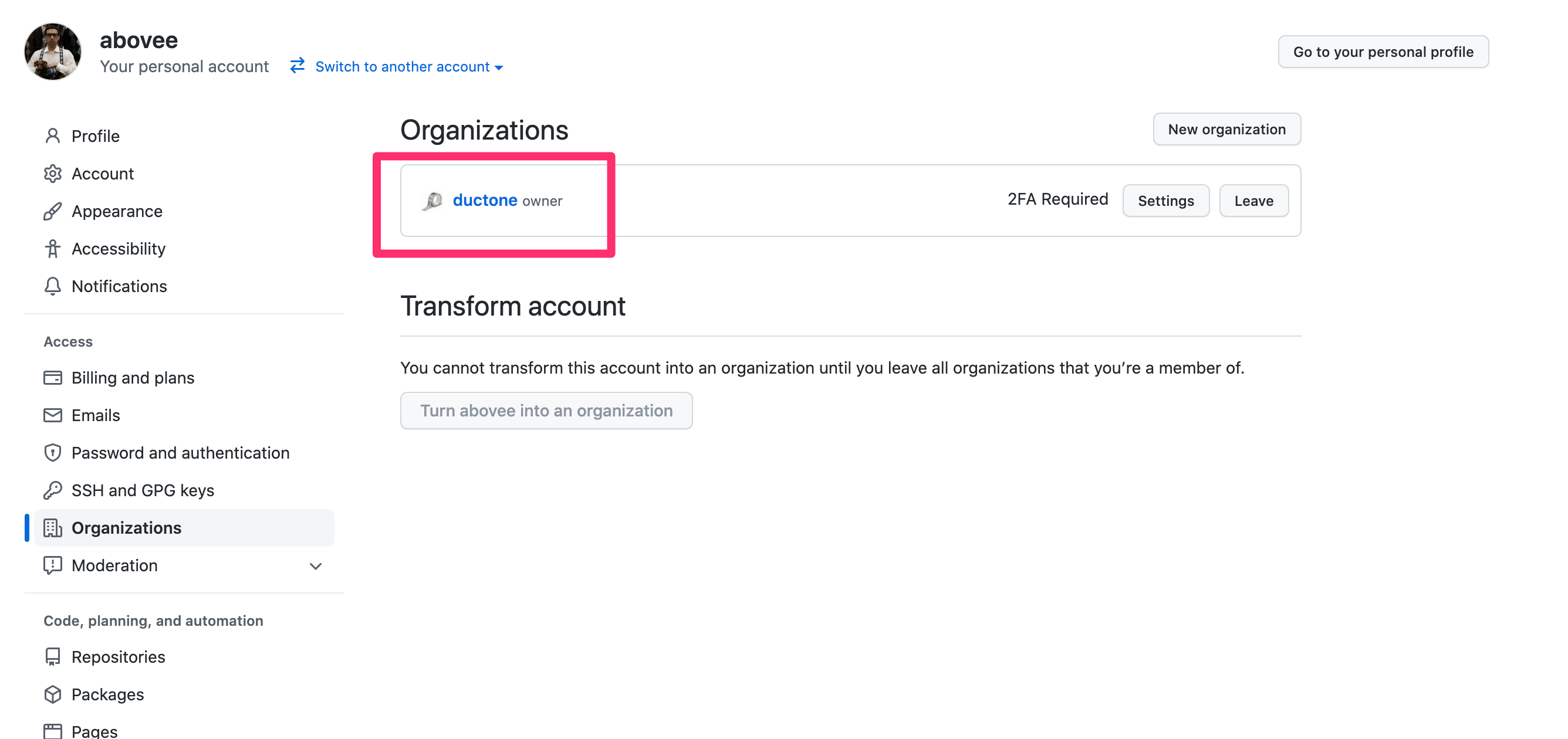
Step 3: Add your GitHub credentials to ConductorOne
In the list of connectors, locate and click on the name of the connector with the Not connected label.
Option 2: Integrate your GitHub instance using a fine-grained access token
Follow these instructions to integrate your GitHub instance by using a GitHub fine-grained personal access token.Step 1: Create a GitHub fine-grained access token
Name your token (for example, ConductorOne Integration) and set a token expiration date. Optionally, add a description.
In the Resource owner dropdown, select the username associated with the GitHub organization you’re integrating with ConductorOne.
In the Permissions section of the page, give the token the following permissions:
-
Organization permissions:
- Members: Read and write access
-
Repository permissions:
- Administration: Read and write access
- Metadata: Read-only access
Step 2: Locate your GitHub organization name
Step 3: Add your GitHub credentials to ConductorOne
In the list of connectors, locate and click on the name of the connector with the Not connected label.